
What To Expect as the Co-Seller
Quick Summary: This guide walks you through how to complete your identity verification and sign all required documents after being invited as a co-seller on a PrivateAuto deal. You’ll receive an email with a link to start signing, then follow simple steps to verify your identity (including a selfie and ID pictures), review documents, and add your signature.
If you want to see what your co-seller did to invite you, please go to this article: Adding A Co-Seller
- You will receive an email that looks like this, with a "Sign documents" button that takes you to the signing experience.
Tip: You will be asked to verify your drivers license, so you will want to have it ready.

2. The first screen will walk you through the process. You will start by clicking "Start verification"

3. Enter your phone number in the text field

4. Then you will get verified by your name, birthdate, driver license, and selfie check

5. Click "finish" once the identity verification completes successfully

6. Any documents that require your signature will have a "review and sign" button to add your signature to the document. Feel free to view the "Signature summary log" that will let you see the other documents in the deal.

7. Open the doc and click "sign document" on the top right
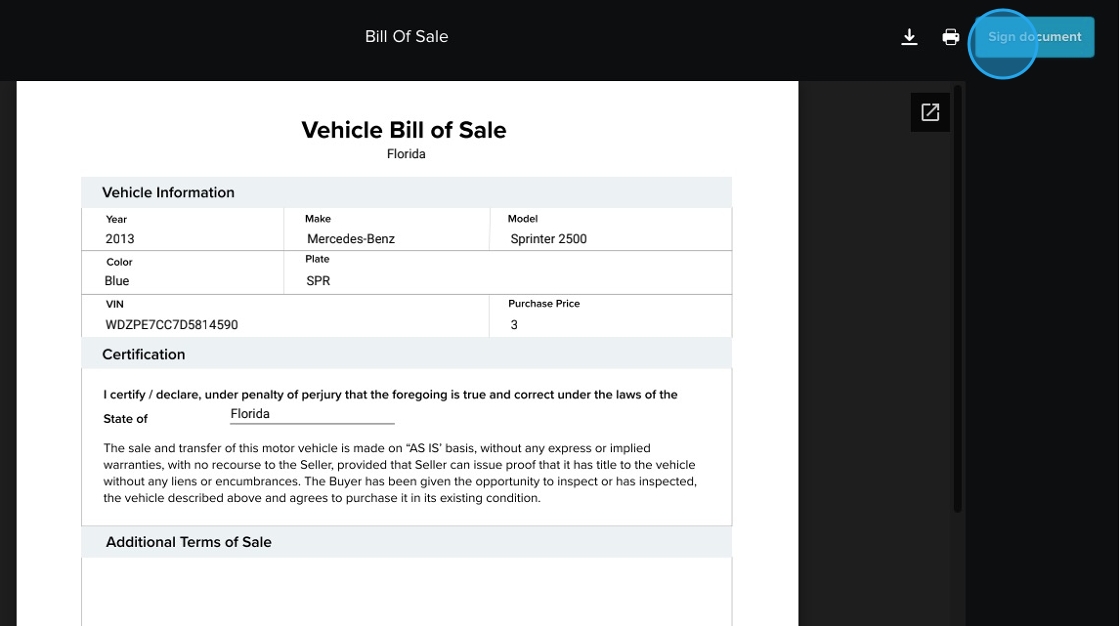
8. Draw their signature and click sign

9. Click "Finished"

10. Complete this process until all required documents are signed. The buyer and your co-seller will be able to see that you have signed. Once all parties have signed, their screen will look like this.
